



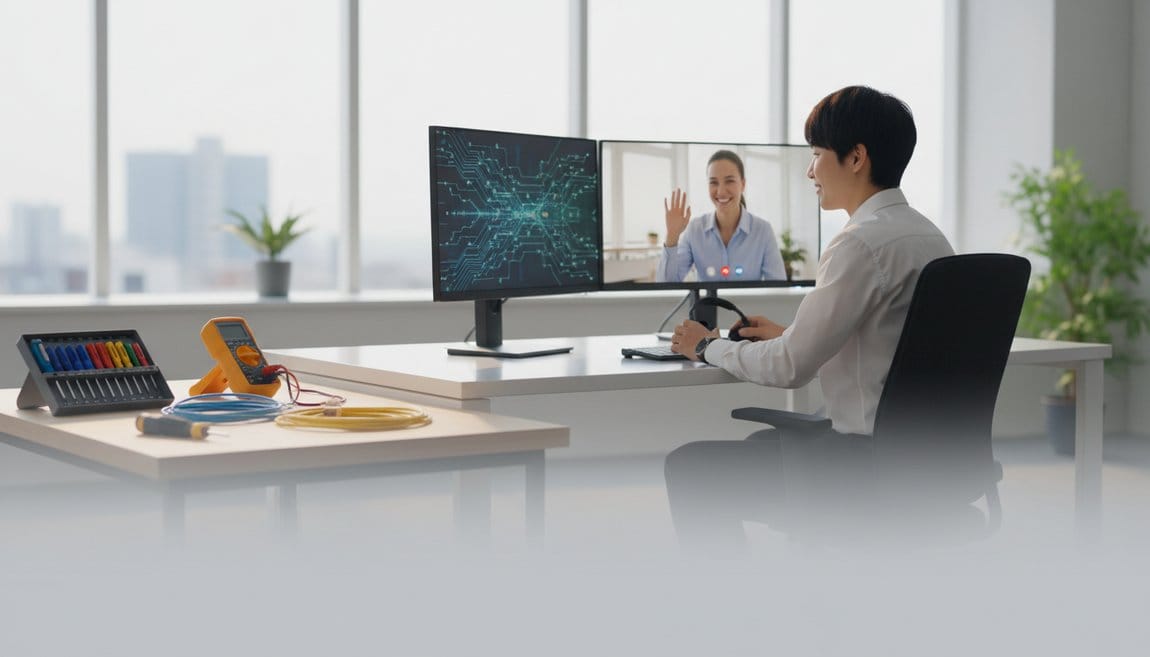
07 Aug On-Site & Remote IT Support Complete Guide
On-Site & Remote IT Support: The Complete Informational Guide for Growing Businesses
Estimated reading time: 18 minutes
Last Reviewed: August 6, 2026

By Luis Garcia, CIO
Luis Garcia is CIO at On-Site Technology, a Clifton, NJ-based MSP serving NJ, NY, PA, and FL since 2001. On-Site Technology is a Microsoft Certified Partner, Cisco Select Partner, VMware Partner, and Veeam Partner. Luis started as an IT field tech in 2001 and has spent over two decades working through every layer of the trade, including break/fix, network engineering, managed security, and CMMC compliance, which is why his advice leans specific over theoretical.
On-site & remote IT support is a hybrid service model where technicians resolve issues both physically at your location and remotely over secure connections, coordinated under a single support workflow. At On-Site Technology, this combined approach is the foundation of every managed IT services engagement we run, typically reducing incident resolution time by 50 percent or more compared to on-site-only break/fix arrangements.
Key Takeaways
- On-site & remote IT support is a unified model that merges field work and remote tech operations under one provider, one ticketing system, and a single escalation path.
- Remote-first triage resolves most everyday issues faster than truck rolls, but a credible partner keeps field capacity ready for hardware failures, compliance walkthroughs, and physical infrastructure work.
- Use the 3-Level Support Maturity Model (Ad-Hoc, Coordinated, Proactive Hybrid) to assess your current state and identify the specific moves that take you toward Level 3.
- Hidden downtime costs, including lost staff productivity, shadow IT, and recurring unresolved root causes typically exceed the visible invoices, so evaluate the total cost of your support model.
- Document your dispatch thresholds: if an issue is business-stopping and not clearly software-only, dispatch on-site support without delay.
- Evaluate providers by probing their internal field capacity, SLA targets, compliance experience, and reporting practices before signing a contract.
Table of Contents
- What Is On-Site & Remote IT Support?
- Understanding On-Site IT Support in Depth
- Understanding Remote IT Support and the Hybrid Incident Journey
- On-Site vs Remote & On-Site IT Support: Choosing the Right Mix
- Designing and Implementing Your Hybrid Support Workflow
- Cost, ROI, and Selecting the Right On-Site & Remote IT Support Provider
- Conclusion
- Frequently Asked Questions
What Is On-Site & Remote IT Support?
On-site & remote IT support is a coordinated service model where technicians resolve technology issues both in person at your location and remotely over secure connections, typically operating under a single provider, shared ticketing system, and defined escalation path. Remote & on-site IT support, when offered together as part of a managed services contract, effectively replaces the need for a dedicated internal IT department at most small and midsize businesses.
Most articles treat on-site and remote as two separate options you pick between. That framing misses the point. In practice, the best support outcomes come from integrating them.
Core Definitions and How They Work Together
On-site IT support is in-person technical assistance where a technician comes to your location to install, repair, or optimize physical IT systems. Think servers, switches, cabling, workstations, wireless infrastructure, and security cameras. Anything with a physical form factor that needs hands on it.
Remote desktop access and secure access tools allow a technician to take control of your systems over an encrypted session and resolve software problems, configuration issues, and many network incidents without stepping foot in your building.
Definition
On-site & remote IT support — On-site & remote IT support is a unified service model in which the same provider handles both physical, location-based technical work and off-site software and configuration support, with structured rules governing when each method is used. For SMBs, this integrated approach functions as a fully outsourced IT department, covering everything from help desk calls to data center visits under one contract and one team.
The operational standard in mature managed IT services is remote first, then dispatch. A technician attempts resolution remotely, and only rolls a truck when the issue demands physical presence. That sequence matters because it cuts average resolution time significantly while keeping costs predictable.
Typical Services Included in Each Mode
On-site IT support covers the physical layer of your technology environment. Common services include:
- Hardware installation and replacement: PCs, servers, switches, printers, and network gear.
- Cable management, network drops, and patch panel work.
- Wireless access point placement, channel planning, and on-site RF testing.
- On-premises firewall and server configuration requiring console access.
- Security camera installation, cabling, and NVR/DVR setup.
- Point-of-sale terminal deployment and specialized hardware support.
Remote IT support covers everything that doesn’t require physical hands. That includes:
- Help desk for user issues: password resets, application errors, printing problems, and basic training.
- Remote monitoring and management (RMM): system health checks, patch deployment, and performance alerting.
- Microsoft 365 and cloud application configuration, user provisioning, and license management.
- VPN setup and remote access troubleshooting.
- After-hours support where dispatching a technician isn’t justified or cost-effective.
The remaining 10 to 30 percent that require on-site visits are generally physical failures, environmental issues, or compliance-driven inspections that remote access simply cannot handle.
The practical coverage model is straightforward: remote handles the volume, on-site handles the critical or physical-layer work. Both run on the same ticket, same team, and same SLA clock.
Understanding On-Site IT Support in Depth
On-site IT support is the hands-on, physical side of your technology operations, and it is irreplaceable for a specific but important category of work. Understanding what on-site technicians actually do, and when on-site presence is non-negotiable, helps you avoid both over-relying on it and under-using it.
What On-Site IT Technicians Actually Do Day-to-Day
A typical on-site engagement at one of our client sites in northern New Jersey or Passaic County involves a lot more than fixing computers. The physical scope is wide.
New office and site buildouts are a major piece. That means designing rack layouts, running patch panels, mounting and configuring switches, placing and tuning wireless access points, and running cable through walls and ceilings. I’ve personally supervised buildouts for manufacturers in Morris County where the network infrastructure ran through three separate buildings, each with its own closet and uplink. That work cannot happen over a remote session.
Hardware refresh projects consume significant field time as well. Replacing 30 aging desktops across a two-story office, imaging each one, migrating user profiles, and testing before the employee sits down requires physical presence for every single device. The on-site part of your on-site & remote IT support arrangement covers exactly this kind of planned deployment work.
Physical network troubleshooting is another core task. Tracing a bad cable through conduit, diagnosing a faulty port on a switch, or identifying the source of Wi-Fi interference in a warehouse environment all require someone walking the space with equipment. Remote tools can narrow the diagnosis but can’t complete it.
On-site techs also build something intangible: user trust. When staff see a familiar face who knows their setup, they report problems faster and with better information. That speeds up resolution even for the issues that ultimately get solved remotely.
When On-Site Support Is Non-Negotiable
Some situations have no remote substitute. Here is where I draw the line in practice:
- Complete internet or power failures at the site, where remote connectivity itself is gone.
- Hardware failures: a dead server drive, a failed firewall, a switch with multiple dead ports.
- Physical security incidents requiring hardware assessment, access validation, or tamper documentation.
- Compliance walkthroughs for HIPAA, PCI, or CMMC environments where an auditor or assessor needs physical inspection of server rooms, wiring closets, and access control points.
- Complex Wi-Fi or RF interference issues that require on-site spectrum analysis to resolve.
Tradeoffs: Strengths and Limitations of On-Site Only Approaches
On-site-heavy support models build strong relationships and catch environmental problems that remote monitoring misses entirely: cable spaghetti blocking airflow, a UPS that’s been running on battery for three weeks without anyone noticing, a server in a closet that hits 95 degrees in summer. Those observations are genuinely valuable.
The limitations are real, though. Multi-site businesses take the hardest hit. If you have offices in three counties and a technician has to drive between them for every issue, your average response time stretches significantly. Travel overhead adds cost to tickets that could be resolved in 10 minutes remotely.
For a small manufacturer or accounting firm, even a 2 to 3 hour wait for on-site help during a server outage at peak season can cost thousands of dollars in lost staff productivity. The on-site & remote IT support model exists specifically to close that gap.
Understanding Remote IT Support and the Hybrid Incident Journey
Remote IT support is not just a cheaper substitute for on-site visits. In a mature hybrid model, it is the first-response layer that resolves the majority of incidents faster than any truck roll could, and it creates the documentation and diagnostic data that makes on-site visits faster when they are needed.
How Remote IT Support Works Technically
Remote IT support uses three primary categories of tools. RMM platforms run silently on managed devices, giving technicians a continuous view of system health, patch status, and performance metrics without user involvement. VPN setup and remote access troubleshooting ensure secure tunnels, VPNs, and cloud management portals allow direct access to network gear and server infrastructure from off-site.
Definition
Remote IT support — Remote IT support is off-site technical assistance delivered through encrypted remote access tools, ticketing platforms, and communication channels, allowing technicians to diagnose, configure, and resolve software, user, and many network issues without physically visiting the location. Every session on a reputable platform is authenticated, logged, and auditable, which matters for compliance environments.
All access requires authentication, often multi-factor. Session activity is logged. A credible provider offering on-site & remote IT support will be able to show you those logs on request and should have a written policy describing how remote sessions are initiated, what technicians can and cannot access, and how sessions are terminated.
The Real-World Incident Journey in a Hybrid Model
Here is how a real incident flows through a hybrid model. A user in a 35-person professional services firm in Bergen County opens a ticket at 9:12 AM: Can’t access the shared drive; everything is slow.
Step 1, Remote Triage. The help desk acknowledges within 15 minutes, checks the monitoring dashboard, and asks scope questions. Is it one user or multiple? Is the file server showing alerts? The RMM platform shows elevated CPU on the file server and a flagged disk health event.
Step 2, Remote Remediation. The technician attempts a controlled restart of a hung service, tests drive health, and checks for active backup jobs consuming I/O. The performance issue partially improves but doesn’t clear. The disk event is yellow, not critical.
Step 3, Decision Point. The technician checks whether the drive is under warranty and whether a spare is available. The firm has a spare drive on site per the hardware runbook. The technician opens a dispatch request for the same afternoon, documents findings in the ticket, and notifies the client.
Formula
Simple escalation rule: If an issue is both “business-stopping” and “not clearly software-only,” escalate to on-site.
Step 4, On-Site Visit. A field tech arrives, confirms the failing drive, performs a hot-swap, validates RAID rebuild is progressing cleanly, and tests file access. Total on-site time: 45 minutes.
Step 5, Remote Follow-Up. The remote team monitors RAID rebuild completion over the next four hours, confirms clean health status, closes the ticket with root cause noted, and schedules a drive health review for the rest of the environment.
Strengths and Limitations of Remote-First Support
Remote-first support offers speed, scale, and documentation that on-site-only models can’t match. One technician can support clients across three states simultaneously. Extended hours become economically viable because there is no travel cost attached to a 6 PM ticket. Every interaction runs through a ticket, which means trends are visible and recurring problems get caught.
The limits are real. If internet connectivity at the site is down, remote tools are useless. Physical issues cannot be resolved remotely regardless of tool quality. Some users are uncomfortable with screen sharing, which requires clear consent communication before sessions start.
A provider offering on-site & remote IT support should address user comfort proactively. That means notifying users before connecting, explaining what the technician will do, and confirming when the session ends. This isn’t just good practice; in certain regulated environments, it is required.
On-Site vs Remote & On-Site IT Support: Choosing the Right Mix
Choosing a support model is not a binary decision. It is a maturity question. Most SMBs are not choosing between on-site and remote; they are figuring out how coordinated and proactive their hybrid model should be.
Side-by-Side Comparison of On-Site, Remote-Only, and Hybrid Support
Three models dominate the SMB market for remote & on-site IT support, and each has a distinct risk and cost profile.
Multi-site businesses take the hardest hit. If you have offices in three counties and a technician has to drive between them for every issue, your average response time stretches significantly. Travel overhead adds cost to tickets that could be resolved in 10 minutes remotely.
Designing and Implementing Your Hybrid Support Workflow
Knowing what on-site & remote IT support is conceptually is useful. Having a workflow that makes it function predictably is what actually reduces downtime.
The 4-Step Escalation Path (From Remote Triage to On-Site Dispatch)
A clear escalation path is the structural difference between a coordinated hybrid model and two separate support silos that occasionally talk to each other.
Step 1: Intake and Logging. Every issue gets a ticket. Staff should be trained to provide four pieces of information: what is not working, who is affected, when it started, and what changed recently. Even partial information is useful. Priority is set at intake based on business impact: a single user locked out of one application is lower priority than five users unable to access the file server.
Step 2: Remote Triage. A technician validates scope using monitoring tools and direct session if needed. This step catches roughly 70 to 90 percent of issues at first contact in a well-run environment. The technician documents findings in the ticket whether or not the issue is resolved remotely.
Step 3: Escalation Decision. Define this threshold explicitly with your provider.
Formula
Simple escalation rule: If an issue is both “business-stopping” and “not clearly software-only,” escalate to on-site.
Step 4: On-Site Execution and Remote Follow-Up. The field tech arrives with pre-staged context from the ticket. Resolution is documented with root cause. The remote team monitors for stability after the visit and confirms closure with the affected users.
Tools You Need to Make Remote & On-Site IT Support Work Smoothly
The tool stack for a functional hybrid model does not need to be complicated. Four categories cover the essentials.
A ticketing system is the foundation. Every issue, every update, every resolution note lives there. Without it, you have no visibility into patterns, SLA performance, or on-site vs remote resolution rates.
An RMM platform provides continuous monitoring across all managed devices. Patch compliance, hardware health, software inventory, and performance baselines are visible in real time. When a ticket comes in, the technician already has context before the first response is sent.
Secure remote access with MFA is non-negotiable. Remote & on-site IT support depends on remote sessions being cryptographically secure and authenticated. Any provider that cannot demonstrate MFA-protected access to your systems is a liability.
Documentation rounds out the stack. Network diagrams, asset inventories, server runbooks, and vendor contact lists make on-site visits efficient. A technician walking into an unfamiliar wiring closet without documentation adds 30 to 60 minutes to every visit through basic reconnaissance that should already be recorded.
Cost, ROI, and Selecting the Right On-Site & Remote IT Support Provider
Pricing structure determines whether your support model is proactive or reactive by default. Understanding the options before you sign a contract prevents misaligned incentives from driving poor outcomes.
Common Pricing Models for On-Site & Remote IT Support
Per-incident or hourly billing is simple: you pay for what you use. For very small businesses with fewer than 5 users and mostly cloud-based systems, this can work. For anyone with physical infrastructure, it breaks down quickly. Hourly billing gives your provider a financial incentive to spend time on problems rather than prevent them. Travel charges stack up fast.
Managed services monthly retainer covers defined remote & on-site IT support within agreed scope for a flat monthly fee. This aligns incentives correctly. The provider benefits from keeping your systems healthy because incidents cost them labor. You benefit from predictable costs and proactive work.
Hybrid pricing models blend both: fixed monthly fee covering all remote support and a defined number of on-site hours or visits, with project work and after-hours work billed separately. This is common for SMBs in the 15 to 75 user range.
After-hours rates typically run 1.5x to 2x standard rates for hourly and hybrid models. Emergency dispatch, defined as same-day or after-hours on-site response, often carries a premium. Get those figures in writing before you need them.
Estimating True ROI of a Hybrid Support Strategy
ROI on IT support is rarely calculated by SMBs because it feels intangible. It isn’t.
Formula
Annual downtime cost ≈ Hours of outage × Number of staff affected × Average hourly cost per staff member
Add an estimate for compliance or security incidents. Even one event, including staff time, external forensics if needed, and any regulatory response, easily reaches $10,000 to $50,000 for an SMB. If your current model is not preventing those events proactively, that risk has a real expected annual cost.
Moving to an integrated on-site & remote IT support arrangement typically reduces incident frequency through proactive monitoring and reduces duration through faster triage. If better support eliminates just one 8-hour outage per year in a 20-person company, the productivity recovery alone often exceeds the annual cost difference between basic and fully managed support.
Questions to Ask When Evaluating Providers
The right provider for remote & on-site IT support is not necessarily the cheapest or the one with the most services listed on their website. These questions cut to what matters.
- “Do you provide both remote and on-site support with your own technicians, or do you subcontract field work?” Subcontracted field work means inconsistent quality and slower dispatch.
- “What percentage of tickets do you typically resolve remotely versus on-site?” Expect 70 to 90 percent remote. Anything significantly lower suggests either poor remote tooling or a billing model that incentivizes truck rolls.
- “What are your standard response and resolution targets for critical versus non-critical issues?”
- “What is your typical on-site response time in our area?” For NJ/NY metro, same-day dispatch for critical issues is reasonable. Next-business-day is the floor for urgent non-critical.
- “How do you secure remote access to our systems?” Expect MFA, encrypted tunnels, and session logging.
- “Can your on-site processes support our compliance requirements?” If you operate under HIPAA, PCI, or CMMC, this is not optional. You need a provider who understands what those frameworks require physically and procedurally.
- “How will we see reports on ticket volume, resolution rates, and on-site versus remote usage?” Monthly reporting is a baseline. Quarterly business reviews with trend analysis indicate a provider operating at Level 3 maturity.
Compare answers across at least two providers before deciding. A provider that cannot answer the compliance and security questions confidently is not ready for a regulated environment.
Conclusion
Integrated on-site & remote IT support is the operational baseline every growing SMB should be working toward. Remote-first triage resolves the majority of issues quickly and cost-effectively. Smart, timely on-site escalation handles what remote cannot. Together, they form a support model that reduces downtime, contains costs, and builds the documentation and monitoring infrastructure your business needs to scale.
The practical next step is an honest self-assessment. Map your current incident journey from first user complaint to resolution. Estimate what a single major outage actually costs your team in lost hours. Use the maturity model to identify your current level and the specific gaps between where you are and Level 3. Then take your provider questions to at least two MSPs and compare their answers directly.
If you want a second opinion on your current IT support mix, On-Site Technology offers assessments for SMBs across NJ, NY, PA, and FL. A conversation with our team will tell you quickly whether your current model is working or leaving risk and cost on the table.
Frequently Asked Questions About On-Site & Remote IT Support
How fast can on-site & remote IT support respond to critical issues?
Response speed depends on both the issue type and your SLA tier. Remote help desks usually acknowledge critical tickets within 15 to 60 minutes, and many critical-sounding incidents resolve remotely in that first hour. Same-day dispatch is the NJ/NY standard for critical on-site work, while emergency callouts carry a premium. At On-Site Technology, we aim to have a technician actively working a critical ticket remotely within the hour and make a dispatch decision by the end of the same business day.
Which industries benefit most from remote & on-site IT support?
Any business mixing cloud systems with physical devices gets direct value from remote & on-site IT support. Healthcare practices with HIPAA obligations, manufacturing and light industrial sites, and financial services firms and professional services practices all need both secure remote access and reliable field work. Even teams that rely on remote workers still need on-site support at offices, coworking facilities, or colocation data centers because the physical layer never disappears.
Is remote IT support safe for our sensitive data?
Yes, when the provider has proper controls in place. Reputable remote access tools use TLS-encrypted connections, require MFA for technician authentication, and generate session logs that document every action taken. On your side, you should have a written policy about what remote technicians can access, what they cannot copy or export, and how sessions are initiated with user notification. Combining secure remote access with controlled on-site procedures typically strengthens security posture compared to informal on-site-only arrangements.
How do I know if I’m overpaying for on-site visits?
The clearest signal is frequent short visits for problems that should resolve remotely. If a technician is regularly driving to reset passwords, fix printing problems, or adjust application settings, you either lack remote capability or are underusing it. The second signal is recurring on-site visits for the same root cause; repeated trips for unresolved slowness means you are paying travel costs for temporary fixes. Ask your provider for a report showing on-site versus remote resolution rates and compare it to the 70 to 90 percent remote benchmark. If your rate is significantly lower, ask what is driving the gap, then shift to a managed hybrid model with defined remote-first protocols and scheduled proactive visits.
Need Help With Managed IT Services?
On-Site Technology keeps remote triage and field dispatch aligned across NJ, NY, PA, and FL so hybrid programs stay proactive, predictable, and documented for growing companies.
Call or meet with our team to build a Managed IT Services program that couples help desk, cloud management, and physical infrastructure work under one SLA.